Learn how Simplestream supported Virgin Media Television in launching Virgin Media Play, a next-gen streaming platform. Read the official announcement!
By clicking “Accept All Cookies”, you agree to the storing of cookies on your device to enhance site navigation, analyze site usage, and assist in our marketing efforts. View our Terms & Conditions for more information.
Top 5 OTT App Builders for Android & Apple Devices (2026)
Category
Blog
Author
Dan Finch
Date
July 2, 2026
Dan Finch
CCO and Co-Founder
Lorem ipsum dolor sit amet, consectetur adipiscing elit. Suspendisse varius enim in eros elementum tristique.
Key Takeaways
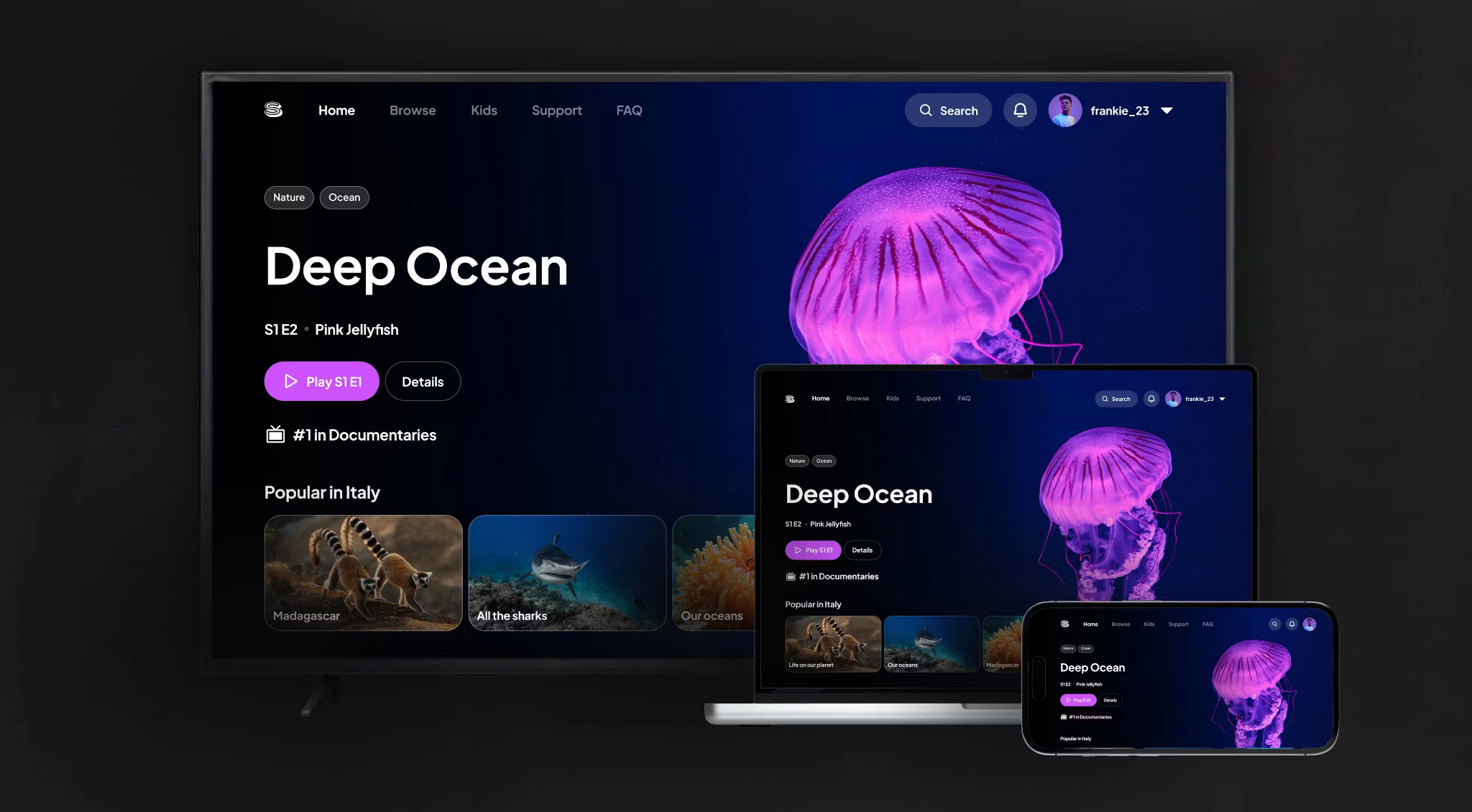
Simplestream is best for multi-device OTT distribution. Its App Platform helps broadcasters, content owners, sports rightsholders, and platform operators launch branded OTT apps across mobile, tablet, CTV, and major connected devices.
Brightcove is best for existing Brightcove users expanding into OTT apps. It fits teams already using Brightcove’s video infrastructure who want app experiences through Beacon.
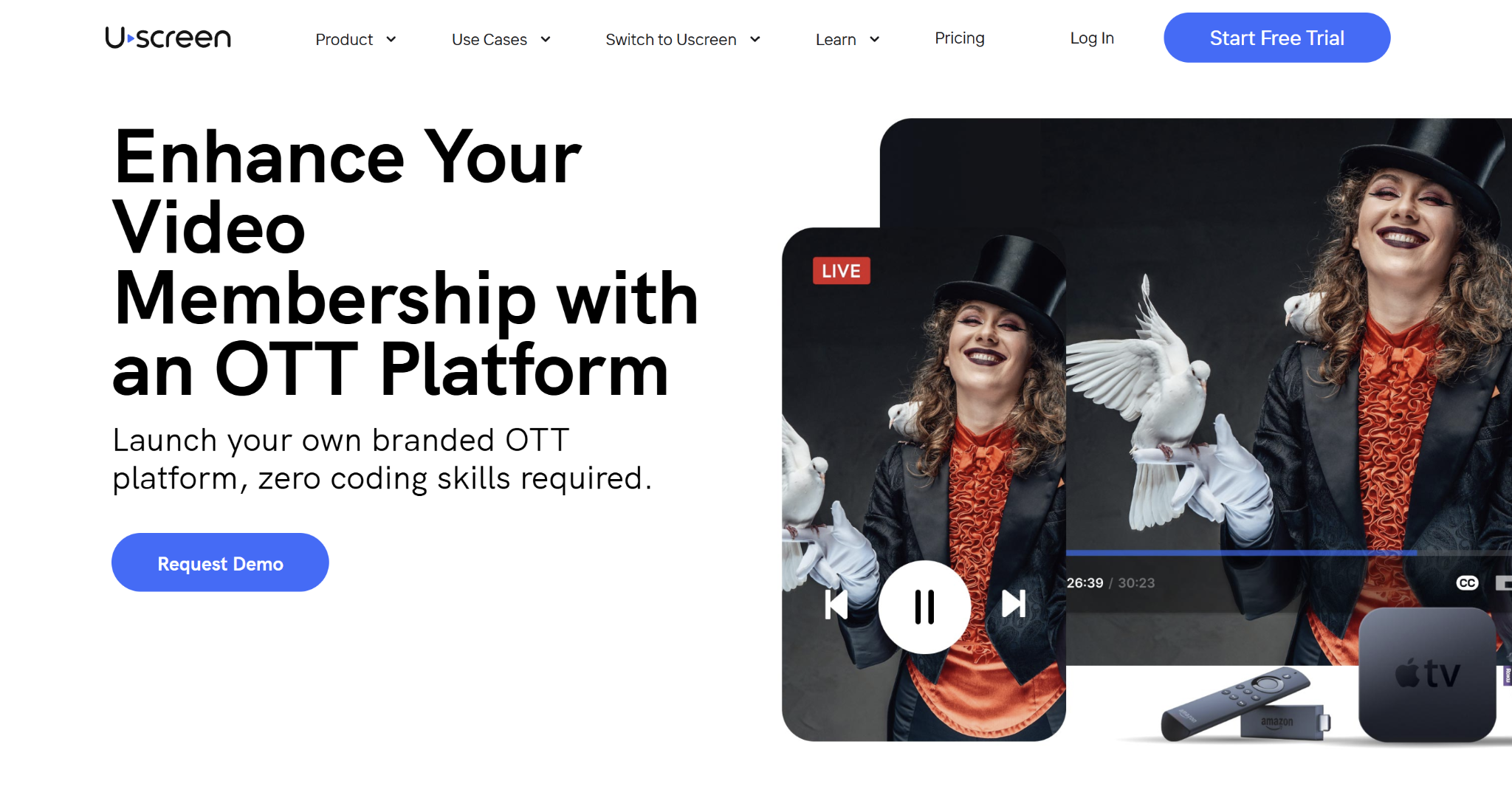
Uscreen is best for creator-led OTT memberships. It works well for fitness, education, coaching, and creator brands that need mobile apps, community, subscriptions, and native livestreaming.
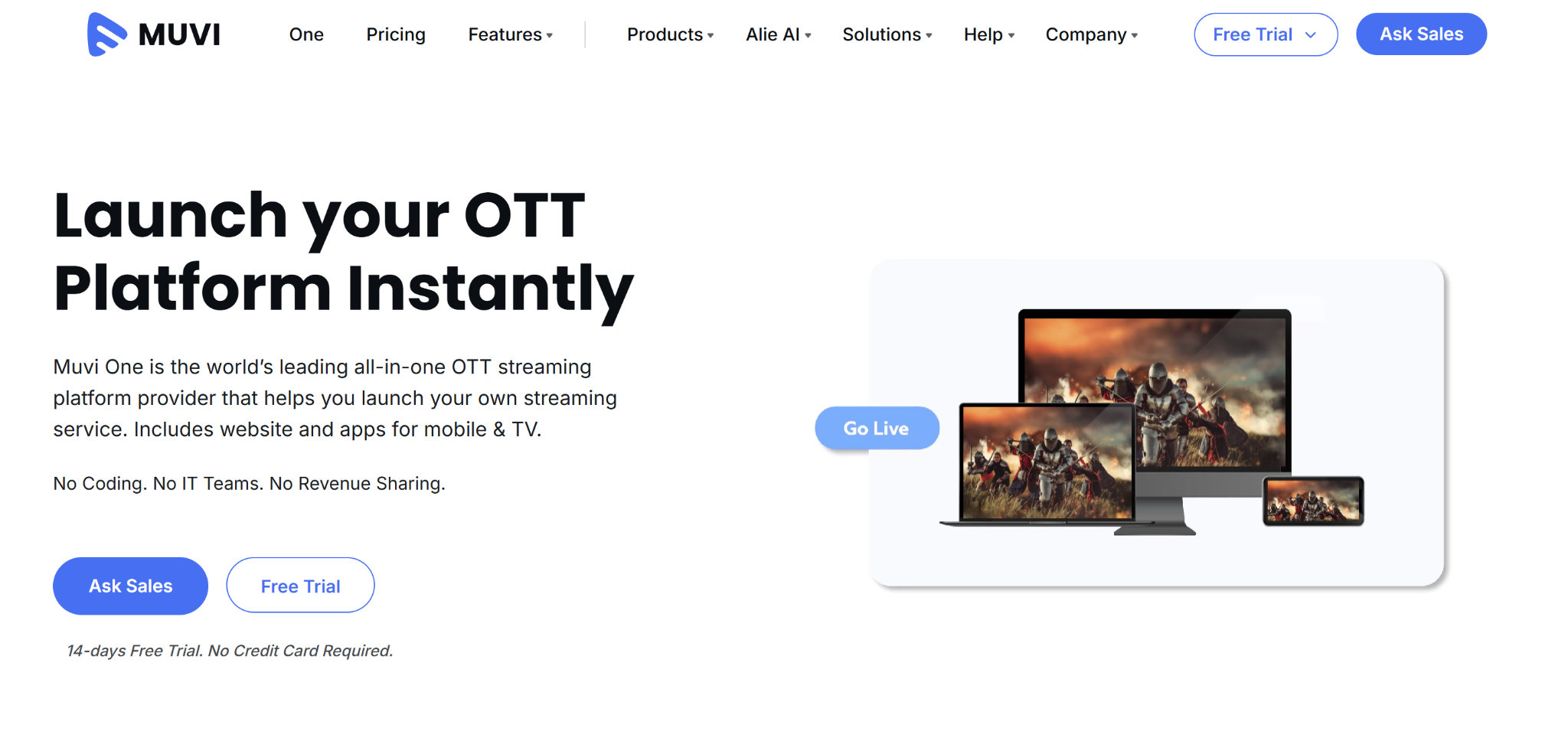
Muvi is best for self-managed OTT apps with public pricing. It suits teams that want a SaaS app builder with visible plans, templates, CMS, monetisation, and add-on apps.
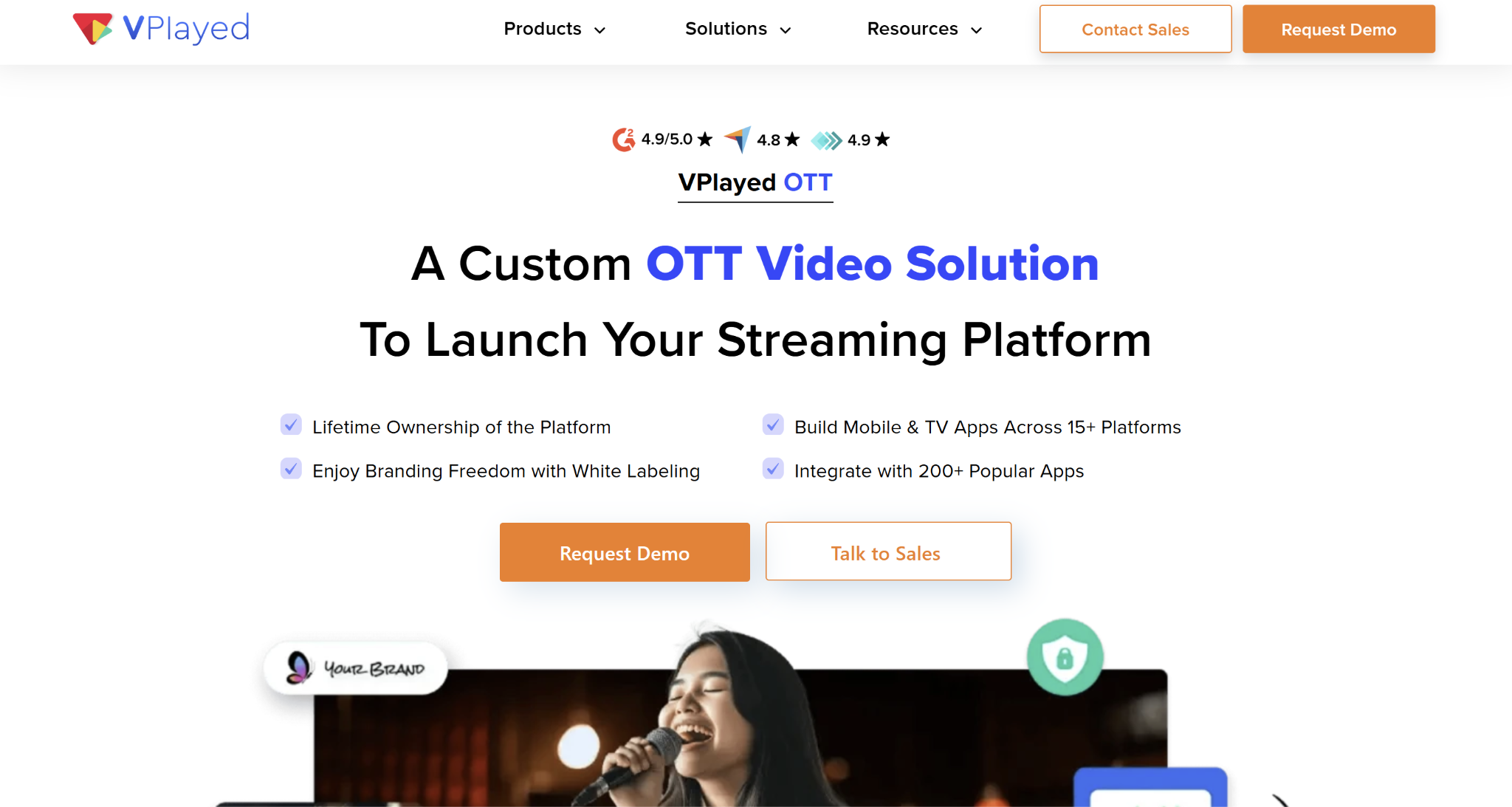
VPlayed is best for source-code ownership. It fits teams that want deeper control, customisation, and long-term ownership instead of a standard subscription platform.
OTT apps are expensive to build from scratch because every device has its own rules, UX patterns, app-store requirements, and maintenance needs.
The best OTT app builder helps you launch branded OTT applications across Android, Apple, CTV, web, and smart TV environments without building every workflow internally.
This guide compares five OTT app builders by device support, app control, monetisation, pricing, strengths, limitations, and best-fit customer.
Best OTT App Builder: A Quick Overview
Name
Best for
Standout feature
Price starting point
Simplestream
Multi-device OTT distribution
Branded apps across mobile, tablet, CTV, and connected devices
Custom pricing
Brightcove
Existing Brightcove users expanding into OTT apps
Beacon app experiences across major devices
Custom pricing
Uscreen
Creator-led OTT memberships
Mobile apps, community, subscriptions, and native livestreaming
From $49/month
Muvi
Self-managed OTT apps with public pricing
White-labelled website and app builder with CMS and monetisation
From $399/month, billed annually
VPlayed
Source-code ownership and custom control
Customisable SaaP platform with ownership-led positioning
Custom pricing
Simplestream: Best out-of-box OTT app builder for multi-device distribution
Simplestream is an OTT app builder and enterprise OTT platform provider for broadcasters, content owners, sports rightsholders, telcos, and platform operators.
Its App Platform gives teams a modular way to launch branded OTT apps across desktop, mobile, tablet, CTV, and connected devices. It is designed for businesses that need Live & VOD delivery, custom UX, monetisation, analytics, security, and backend workflows working together.
Key features
Simplestream’s strongest OTT app capabilities sit across app launch, backend content control, and migration support.
Multi-device App Platform
The App Platform helps teams launch branded OTT apps across mobile, tablet, smart TV, connected TV, and other major device environments.
It supports custom UI, branded navigation, user registration, authentication, payments, and monetisation models such as AVOD, SVOD, TVOD, and pay-per-view. For broadcasters and content owners, this helps avoid separate builds for every device while still giving the app experience a branded feel.
The real advantage here is device expertise. OTT apps need ongoing support across iOS, Android, Apple TV, Android TV, Fire TV, Samsung, LG, Roku, and other ecosystems. Simplestream is built around that multi-device reality.
Media Manager for app content workflows
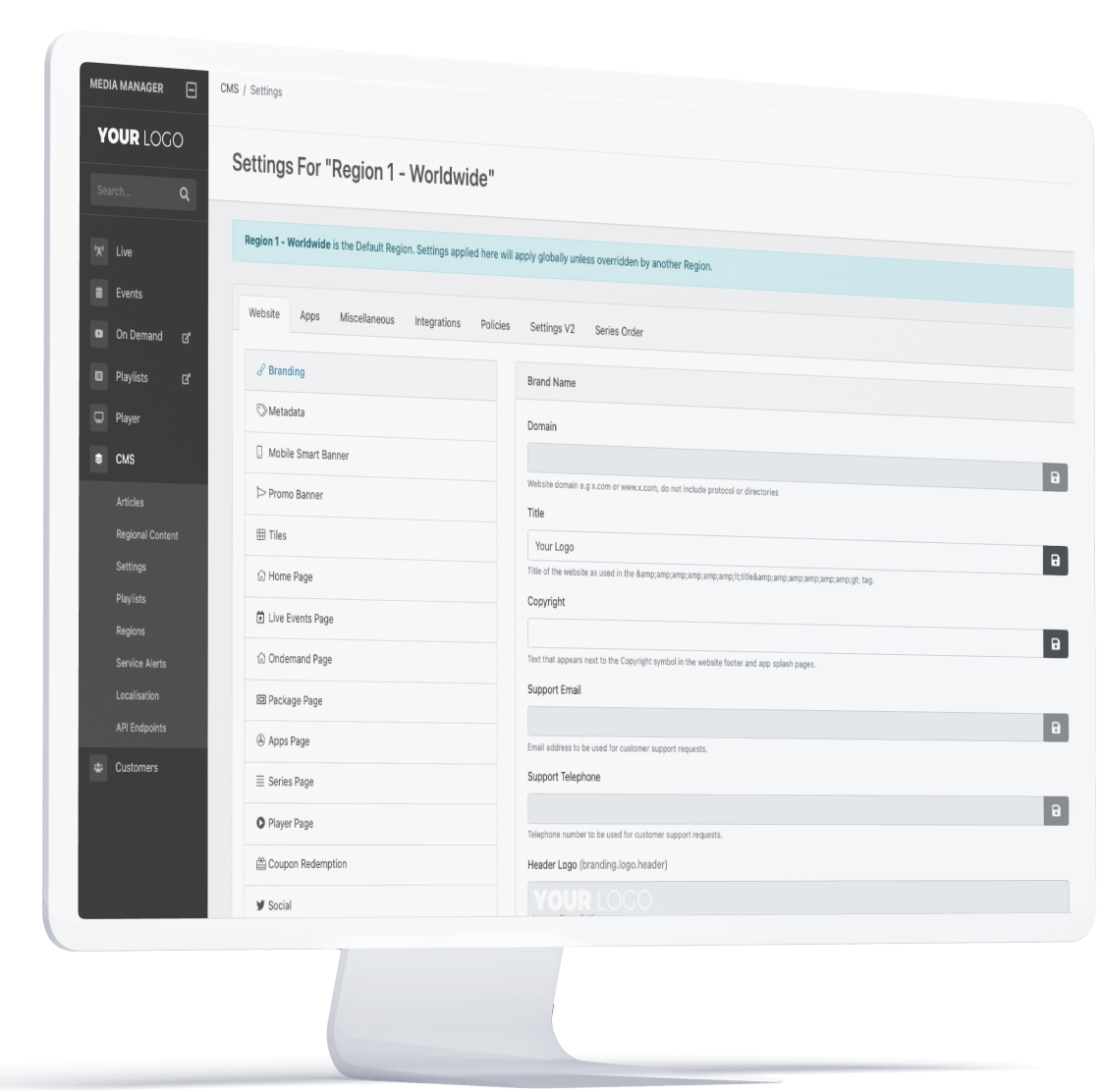
Simplestream’s Media Manager gives OTT teams an intuitive backend for Live & VOD content, CMS control, analytics, monetisation, syndication, and Live2VOD workflows.
These are all crucial tools when the app is more than a static video library. Sports, news, entertainment, and teleshopping teams often need live channels, catch-up, clips, highlights, VOD libraries, metadata, rights controls, and analytics in one workflow.
With Media Manager, live broadcasts can be managed, clipped, converted into VOD assets, and surfaced across apps without rebuilding the process for each platform.
Migration and launch support
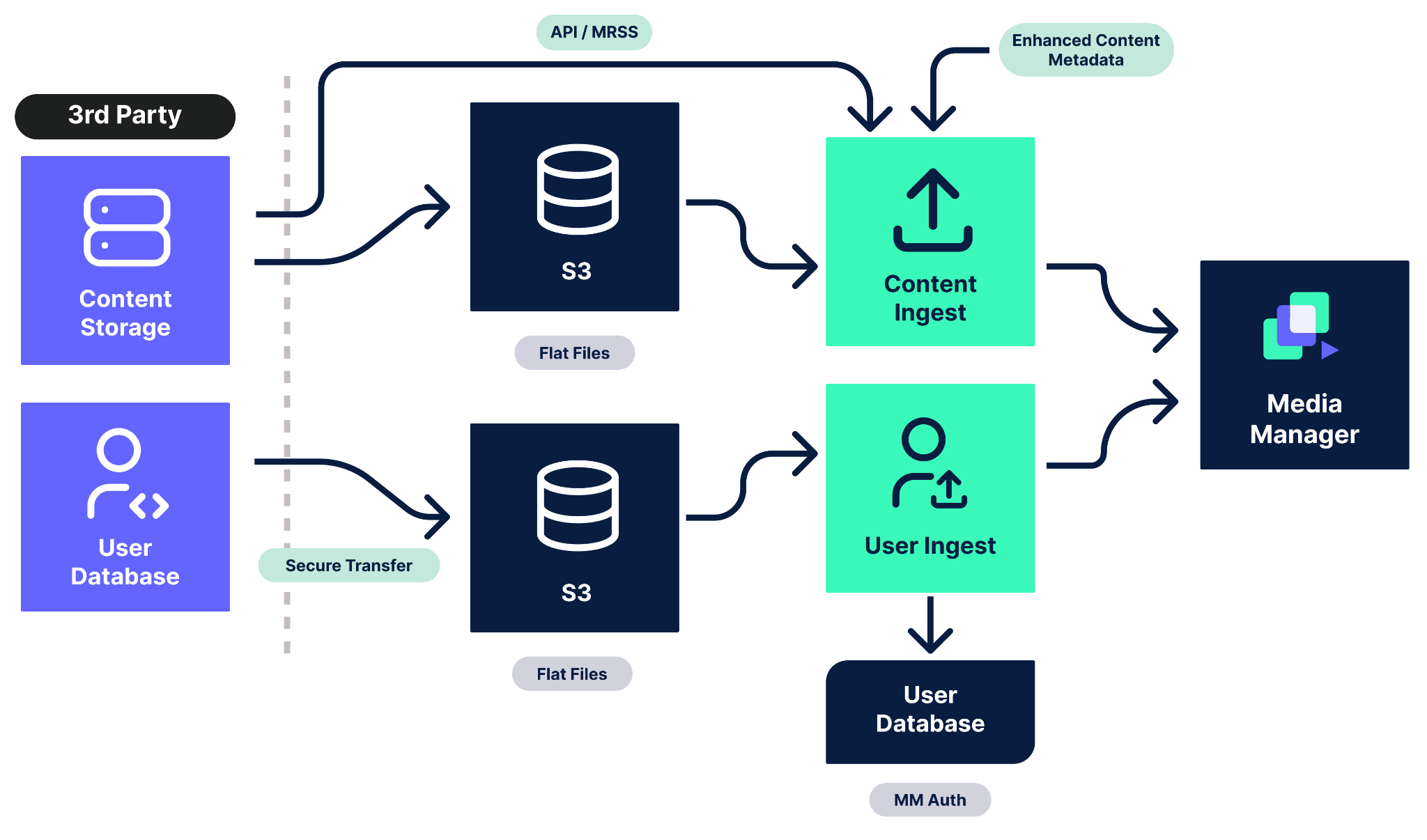
If you already have an OTT service, Simplestream’s migration services help move content, metadata, users, payments, integrations, and operational workflows into a more scalable environment.
This is useful for teams replacing legacy OTT systems, moving away from fragmented vendors, or expanding from web video into full app distribution.
Simplestream also supports professional services around strategy, architecture, integration, QA, launch, training, analytics, security, and compliance. So you are not relying on software alone during a multi-device launch.
Pricing
Simplestream uses custom pricing because OTT app deployments vary by device coverage, audience scale, content workflows, monetisation, integrations, and support needs.
Plan
Best for
What's included
Price
Custom enterprise plan
Broadcasters, sports rightsholders, content owners, telcos, and platform operators
Branded OTT apps, Media Manager, Live & VOD workflows, monetisation, analytics, integrations, migration, and launch support
Custom pricing
Where Simplestream shines
Multi-device reach: The platform supports OTT apps across mobile, tablet, CTV, smart TV, and other connected environments.
Broadcast-grade workflows: Media Manager connects app experiences with Live & VOD, catch-up, analytics, rights, monetisation, and syndication.
Implementation support: The team offers support for platform design, integration, migration, QA, and launch, which reduces operational risk for enterprise OTT teams.
Where Simplestream falls short
Too advanced for small creator apps: If you only need a simple video membership app, a creator-first platform may be a better fit.
Custom pricing only: Simplestream is built for premium OTT deployments, so pricing depends on scope rather than a public self-serve plan.
Customer reviews
Enterprises looking to build OTT apps prefer Simplestream for its reliability and scalability.
Peter McKenna, Director, GAAGO: “This new GAAGO-Simplestream integration brings a quality multi-platform experience to GAAGO's direct-to-consumer and white label B2B customers. Viewers expect content to be available across a choice of devices, and expanding our app offering to TV screens is a crucial part of the next phase of GAAGO's development.”
Tom Lister, Chief Marketing Officer, URC TV: “Reliability is the key deliverable when it comes to streaming live sport as fans expect a seamless, uninterrupted experience from sign-up right through to the final whistle. The Simplestream platform has provided an ideal foundation for URC TV to continue to innovate and deliver a top-quality product to our fans.”
Broadcasters: Use Simplestream if you need branded OTT apps across devices with Live & VOD, catch-up, rights, and analytics.
Content owners: Use Simplestream to package, monetise, and distribute premium content through owned apps.
Sports rightsholders: Use Simplestream when live events, highlights, VOD archives, and multi-device delivery are central to your OTT roadmap.
Telcos and platform operators: Use Simplestream for scalable app experiences with authentication, monetisation, integrations, and operational support.
Ready to launch OTT apps across Android, Apple, CTV, and smart TV devices? Talk to the Simplestream team about your app roadmap.
Brightcove: Best for existing Brightcove users expanding into OTT apps
Brightcove is a video platform with OTT app capabilities through Beacon. It is a good fit for teams already using Brightcove video infrastructure and looking to extend into branded streaming apps.
Key features
Multi-device apps: Supports OTT experiences across iOS, Android, Apple TV, Android TV, Roku, Amazon Fire TV, and tablets.
Flexible monetisation: Supports hybrid, ad-supported, subscription, and freemium models.
Viewer experience tools: Includes playback continuity, favourites, video history, and in-app purchase features.
Brightcove ecosystem: Works best for teams already using Brightcove’s hosting, video library, analytics, APIs, and player tools.
Pricing
Plan
Best for
Price
Beacon Studio/OTT
Existing Brightcove customers and enterprise media teams
Custom pricing
Where Brightcove shines
Existing ecosystem fit: Strong choice if your team already uses Brightcove for video hosting or media workflows.
Enterprise video experience: Mature video infrastructure, analytics, APIs, and OTT monetisation options.
Where Brightcove falls short
Custom pricing: Buyers need to contact sales for a quote.
Complex for new users: Some reviewers say the platform can take time to learn because of its depth.
Customer reviews
“Easy to use and perform the workflows and functions needed for our organisation.” – Isaac C., Product Analyst
“Implementation is a complete disaster, we've worked with them on multiple projects on their Beacon platform, and it has gotten progressively worse. We've had multiple contacts at their company quit mid-implementation and have had products simply not launch because their engineering team cannot fix and validate QA issues that arise.” – a verified user on G2
Who Brightcove is best for
Existing Brightcove teams: Brightcove is a good fit if you already use its video infrastructure and want to extend into OTT apps.
Want to learn more about how Brightcove compares with other OTT app builders? Check out our detailed Brightcove alternatives article.
Uscreen: Best for creator-led OTT memberships
Uscreen is a video membership platform for creators, educators, fitness brands, and coaching businesses. It is strongest when the app is built around subscriptions, community, and member engagement.
Key features
Mobile apps: App Essentials includes two mobile apps for iOS and Android.
Native livestreaming: Supports gated live sessions for classes, launches, events, and member broadcasts.
Community: Custom plan adds community features such as DMs, challenges, calendars, streaks, and badges.
Membership monetisation: Supports subscriptions, products, marketing automations, and subscriber analytics.
Pricing
Plan
Best for
Price
Starter
New creators with up to 100 subscribers
$49/month
Growth
Creators and brands building recurring revenue
From $149/month, billed annually, plus subscriber fee
App Essentials
Brands that want mobile apps
From $449/month, billed annually, plus subscriber fee
Custom
Larger membership businesses needing TV apps, API access, white-labelling, and dedicated support
Custom pricing
Where Uscreen shines
Creator-friendly setup: Easier for small teams than enterprise OTT app platforms.
Membership tools: Strong mix of video, payments, community, and marketing.
Where Uscreen falls short
Limited broadcast depth: It is not designed for complex broadcast, telco, or rights-heavy OTT operations.
Apps require higher tiers: Mobile and TV app access sits above the entry-level plan.
Customer reviews
“We host our GVAA On-Demand training library on Uscreen and have been really happy with it. Clean interface, reliable video delivery, and it makes managing a subscription library surprisingly easy on the backend.” – David R., CEO
“I do wish there were more customization options for the website layout and the ability to integrate a blog directly within Uscreen’s backend instead of using a third-party solution.” – Leah P., Creator of Pilates by Leah
Who Uscreen is best for
Creator and membership brands: Uscreen is the finest fit if you need paid video, community, mobile apps, and native livestreaming without an enterprise OTT build.
Muvi: Best for self-managed OTT apps with public pricing
Muvi One is an OTT app builder for teams that want a SaaS platform with visible pricing, CMS, monetisation, templates, and optional apps across web, mobile, and TV.
Key features
White-labelled website and apps: Standard includes a white-labelled website and mobile apps, with additional app options by plan.
CMS and video workflows: Includes advanced CMS, encoding, ABR streaming, playlists, categories, bulk upload, and metadata tools.
Monetisation: Supports TVOD, SVOD, AVOD, coupons, multi-currency, and payment workflows depending on plan.
Device options: Supports iOS, Android, Apple TV, Android TV, Fire TV, Roku, Samsung TV, LG TV, and VIDAA OS through plan and app options.
Pricing
Plan
Best for
Price
Standard
Starting OTT services
$399/month, plus variable fees
Professional
Growing OTT services
$1,499/month, plus variable fees
Enterprise
Higher-scale OTT services
$3,900/month, plus variable fees
Ultimate
Large-scale custom requirements
Custom pricing
Where Muvi shines
Transparent pricing: Public plan structure helps buyers estimate early costs.
Feature breadth: CMS, monetisation, apps, security, analytics, and templates are available in one platform.
Where Muvi falls short
App costs can add up: Additional apps have separate monthly pricing.
Self-managed complexity: Teams still need to manage configuration, variable fees, and app choices carefully.
Customer reviews
“Easy to work with & has been the most a solution to all our OTT needs for website, mobile apps and TV apps.” – Jason N., Executive Chairman
“We have had so many issues using MUVI OTT service trying to implement this for a client of ours. At every turn there has been an issue which our team has to literally hold the dev team at MUVIs hand to fix, if they even can.” – Chuck D., Chief Marketing Officer
Who Muvi is best for
Self-managed OTT teams: If you want a broad SaaS OTT builder with public pricing and app options, Muvi might be the one.
VPlayed: Best for source-code ownership and custom control
VPlayed is a customisable OTT platform for teams that want more ownership over the app, source code, monetisation, and hosting model.
Check out more OTT platforms that offer custom services in our in-depth article on custom OTT platforms.
Key features
Source-code ownership: Positions itself around lifetime ownership and deeper platform control.
Multi-device streaming: Supports web, mobile, and smart TV app experiences.
Flexible monetisation: Supports subscriptions, pay-per-view, advertising, and hybrid revenue models.
Custom deployment: Better suited to teams that want a more tailored build than a template-led SaaS app.
Pricing
Plan
Best for
Price
Custom OTT platform
Teams needing custom control, ownership, and implementation support
Custom pricing
Where VPlayed shines
Ownership-led model: Useful for teams concerned about platform lock-in.
Customisation: Strong fit when a standard SaaS app builder feels too rigid.
Where VPlayed falls short
Less pricing transparency: Buyers need to speak with sales.
More implementation work: Custom control usually means more planning, onboarding, and technical involvement.
Customer reviews
“Have been using the platform for 2 years now, and things are pretty smooth with our set of movie distribution and monetization.” – Arun, Automation Developer
“While the platform is powerful, the onboarding process can be technically demanding, especially for teams without in-house developers.” – Vijay E., Senior Digital Marketing Lead
Who VPlayed is best for
Teams prioritising ownership: VPlayed is a solid option if source-code control, customisation, and reduced platform lock-in matter more than a managed OTT partner model.
How to choose an OTT app builder
Choosing an OTT app builder is less about launch speed alone and more about long-term app control, device maintenance, and scaling costs.
Feature consideration #1: Device and OS coverage
Start with the devices your audience uses.
For Android and Apple, check mobile apps first: iOS, iPadOS, and Android. Then check TV environments such as Apple TV, Android TV, Fire TV, Roku, Samsung, LG, and other CTV platforms.
Simplestream’s App Platform supports multi-device OTT distribution, so teams can plan mobile, tablet, CTV, and smart TV delivery from one roadmap.
Feature consideration #2: CMS and content workflows
An OTT app builder should include more than app templates.
Look for CMS control, metadata, content rails, Live & VOD workflows, catch-up, bulk upload, analytics, and syndication. These determine how easily your team can manage the app after launch.
With Simplestream’s content management and Media Manager, teams can manage live, VOD, catch-up, monetisation, and app content from a connected backend.
Feature consideration #3: Monetisation support
Your app builder should match your revenue model.
Check for advertising, subscriptions, pay-per-view, freemium access, in-app purchase, coupons, FAST channels, and hybrid models. Also check whether payments and entitlements work across devices.
Simplestream supports monetisation, advertising, and authentication workflows for enterprise OTT services.
Feature consideration #4: Security, rights, and analytics
OTT apps need controls around users, territories, content access, and performance.
Look for authentication, rights and security, DRM, geo-blocking, analytics, uptime, and playback monitoring. These features become more important as audiences and rights obligations grow.
Create the OTT app of your dreams with Simplestream
The best OTT app builder depends on the service you want to launch.
Uscreen is a strong fit for creator memberships. Muvi suits teams that want public SaaS pricing. VPlayed fits buyers who prioritise ownership. Brightcove works well for teams already inside the Brightcove ecosystem.
If you need branded OTT apps across mobile, tablet, CTV, and smart TV devices, with Live & VOD workflows, monetisation, analytics, rights controls, and migration support, Simplestream is built for that job.
Talk to our team to understand how you can build your own OTT app.
FAQs
How do OTT apps make money?
OTT apps make money through subscriptions, advertising, pay-per-view, rentals, in-app purchases, sponsorships, FAST channels, or hybrid monetisation models.
How much does it cost to build an OTT app?
It depends. SaaS OTT app builders may start in the hundreds per month, while enterprise or custom OTT apps usually use custom pricing.
Is it better to use an OTT app builder or build from scratch?
Usually, use an OTT app builder if speed and proven workflows matter. Build from scratch only when you need full custom engineering control.
What devices should an OTT app builder support?
At minimum, check iOS, Android, Apple TV, Android TV, Fire TV, Roku, Samsung, LG, web, mobile, tablet, and CTV support.
What is the difference between an OTT app builder and an OTT app development company?
An OTT app builder provides platform infrastructure and templates. An OTT app development company usually builds custom apps through a service-led engineering process.
Top 5 OTT App Builders for Android & Apple Devices (2026)
Key Takeaways
Simplestream is best for multi-device OTT distribution. Its App Platform helps broadcasters, content owners, sports rightsholders, and platform operators launch branded OTT apps across mobile, tablet, CTV, and major connected devices.
Brightcove is best for existing Brightcove users expanding into OTT apps. It fits teams already using Brightcove’s video infrastructure who want app experiences through Beacon.
Uscreen is best for creator-led OTT memberships. It works well for fitness, education, coaching, and creator brands that need mobile apps, community, subscriptions, and native livestreaming.
Muvi is best for self-managed OTT apps with public pricing. It suits teams that want a SaaS app builder with visible plans, templates, CMS, monetisation, and add-on apps.
VPlayed is best for source-code ownership. It fits teams that want deeper control, customisation, and long-term ownership instead of a standard subscription platform.
OTT apps are expensive to build from scratch because every device has its own rules, UX patterns, app-store requirements, and maintenance needs.
The best OTT app builder helps you launch branded OTT applications across Android, Apple, CTV, web, and smart TV environments without building every workflow internally.
This guide compares five OTT app builders by device support, app control, monetisation, pricing, strengths, limitations, and best-fit customer.
Best OTT App Builder: A Quick Overview
Name
Best for
Standout feature
Price starting point
Simplestream
Multi-device OTT distribution
Branded apps across mobile, tablet, CTV, and connected devices
Custom pricing
Brightcove
Existing Brightcove users expanding into OTT apps
Beacon app experiences across major devices
Custom pricing
Uscreen
Creator-led OTT memberships
Mobile apps, community, subscriptions, and native livestreaming
From $49/month
Muvi
Self-managed OTT apps with public pricing
White-labelled website and app builder with CMS and monetisation
From $399/month, billed annually
VPlayed
Source-code ownership and custom control
Customisable SaaP platform with ownership-led positioning
Custom pricing
Simplestream: Best out-of-box OTT app builder for multi-device distribution
Simplestream is an OTT app builder and enterprise OTT platform provider for broadcasters, content owners, sports rightsholders, telcos, and platform operators.
Its App Platform gives teams a modular way to launch branded OTT apps across desktop, mobile, tablet, CTV, and connected devices. It is designed for businesses that need Live & VOD delivery, custom UX, monetisation, analytics, security, and backend workflows working together.
Key features
Simplestream’s strongest OTT app capabilities sit across app launch, backend content control, and migration support.
Multi-device App Platform
The App Platform helps teams launch branded OTT apps across mobile, tablet, smart TV, connected TV, and other major device environments.
It supports custom UI, branded navigation, user registration, authentication, payments, and monetisation models such as AVOD, SVOD, TVOD, and pay-per-view. For broadcasters and content owners, this helps avoid separate builds for every device while still giving the app experience a branded feel.
The real advantage here is device expertise. OTT apps need ongoing support across iOS, Android, Apple TV, Android TV, Fire TV, Samsung, LG, Roku, and other ecosystems. Simplestream is built around that multi-device reality.
Media Manager for app content workflows
Simplestream’s Media Manager gives OTT teams an intuitive backend for Live & VOD content, CMS control, analytics, monetisation, syndication, and Live2VOD workflows.
These are all crucial tools when the app is more than a static video library. Sports, news, entertainment, and teleshopping teams often need live channels, catch-up, clips, highlights, VOD libraries, metadata, rights controls, and analytics in one workflow.
With Media Manager, live broadcasts can be managed, clipped, converted into VOD assets, and surfaced across apps without rebuilding the process for each platform.
Migration and launch support
If you already have an OTT service, Simplestream’s migration services help move content, metadata, users, payments, integrations, and operational workflows into a more scalable environment.
This is useful for teams replacing legacy OTT systems, moving away from fragmented vendors, or expanding from web video into full app distribution.
Simplestream also supports professional services around strategy, architecture, integration, QA, launch, training, analytics, security, and compliance. So you are not relying on software alone during a multi-device launch.
Pricing
Simplestream uses custom pricing because OTT app deployments vary by device coverage, audience scale, content workflows, monetisation, integrations, and support needs.
Plan
Best for
What's included
Price
Custom enterprise plan
Broadcasters, sports rightsholders, content owners, telcos, and platform operators
Branded OTT apps, Media Manager, Live & VOD workflows, monetisation, analytics, integrations, migration, and launch support
Custom pricing
Where Simplestream shines
Multi-device reach: The platform supports OTT apps across mobile, tablet, CTV, smart TV, and other connected environments.
Broadcast-grade workflows: Media Manager connects app experiences with Live & VOD, catch-up, analytics, rights, monetisation, and syndication.
Implementation support: The team offers support for platform design, integration, migration, QA, and launch, which reduces operational risk for enterprise OTT teams.
Where Simplestream falls short
Too advanced for small creator apps: If you only need a simple video membership app, a creator-first platform may be a better fit.
Custom pricing only: Simplestream is built for premium OTT deployments, so pricing depends on scope rather than a public self-serve plan.
Customer reviews
Enterprises looking to build OTT apps prefer Simplestream for its reliability and scalability.
Peter McKenna, Director, GAAGO: “This new GAAGO-Simplestream integration brings a quality multi-platform experience to GAAGO's direct-to-consumer and white label B2B customers. Viewers expect content to be available across a choice of devices, and expanding our app offering to TV screens is a crucial part of the next phase of GAAGO's development.”
Tom Lister, Chief Marketing Officer, URC TV: “Reliability is the key deliverable when it comes to streaming live sport as fans expect a seamless, uninterrupted experience from sign-up right through to the final whistle. The Simplestream platform has provided an ideal foundation for URC TV to continue to innovate and deliver a top-quality product to our fans.”
Broadcasters: Use Simplestream if you need branded OTT apps across devices with Live & VOD, catch-up, rights, and analytics.
Content owners: Use Simplestream to package, monetise, and distribute premium content through owned apps.
Sports rightsholders: Use Simplestream when live events, highlights, VOD archives, and multi-device delivery are central to your OTT roadmap.
Telcos and platform operators: Use Simplestream for scalable app experiences with authentication, monetisation, integrations, and operational support.
Ready to launch OTT apps across Android, Apple, CTV, and smart TV devices? Talk to the Simplestream team about your app roadmap.
Brightcove: Best for existing Brightcove users expanding into OTT apps
Brightcove is a video platform with OTT app capabilities through Beacon. It is a good fit for teams already using Brightcove video infrastructure and looking to extend into branded streaming apps.
Key features
Multi-device apps: Supports OTT experiences across iOS, Android, Apple TV, Android TV, Roku, Amazon Fire TV, and tablets.
Flexible monetisation: Supports hybrid, ad-supported, subscription, and freemium models.
Viewer experience tools: Includes playback continuity, favourites, video history, and in-app purchase features.
Brightcove ecosystem: Works best for teams already using Brightcove’s hosting, video library, analytics, APIs, and player tools.
Pricing
Plan
Best for
Price
Beacon Studio/OTT
Existing Brightcove customers and enterprise media teams
Custom pricing
Where Brightcove shines
Existing ecosystem fit: Strong choice if your team already uses Brightcove for video hosting or media workflows.
Enterprise video experience: Mature video infrastructure, analytics, APIs, and OTT monetisation options.
Where Brightcove falls short
Custom pricing: Buyers need to contact sales for a quote.
Complex for new users: Some reviewers say the platform can take time to learn because of its depth.
Customer reviews
“Easy to use and perform the workflows and functions needed for our organisation.” – Isaac C., Product Analyst
“Implementation is a complete disaster, we've worked with them on multiple projects on their Beacon platform, and it has gotten progressively worse. We've had multiple contacts at their company quit mid-implementation and have had products simply not launch because their engineering team cannot fix and validate QA issues that arise.” – a verified user on G2
Who Brightcove is best for
Existing Brightcove teams: Brightcove is a good fit if you already use its video infrastructure and want to extend into OTT apps.
Want to learn more about how Brightcove compares with other OTT app builders? Check out our detailed Brightcove alternatives article.
Uscreen: Best for creator-led OTT memberships
Uscreen is a video membership platform for creators, educators, fitness brands, and coaching businesses. It is strongest when the app is built around subscriptions, community, and member engagement.
Key features
Mobile apps: App Essentials includes two mobile apps for iOS and Android.
Native livestreaming: Supports gated live sessions for classes, launches, events, and member broadcasts.
Community: Custom plan adds community features such as DMs, challenges, calendars, streaks, and badges.
Membership monetisation: Supports subscriptions, products, marketing automations, and subscriber analytics.
Pricing
Plan
Best for
Price
Starter
New creators with up to 100 subscribers
$49/month
Growth
Creators and brands building recurring revenue
From $149/month, billed annually, plus subscriber fee
App Essentials
Brands that want mobile apps
From $449/month, billed annually, plus subscriber fee
Custom
Larger membership businesses needing TV apps, API access, white-labelling, and dedicated support
Custom pricing
Where Uscreen shines
Creator-friendly setup: Easier for small teams than enterprise OTT app platforms.
Membership tools: Strong mix of video, payments, community, and marketing.
Where Uscreen falls short
Limited broadcast depth: It is not designed for complex broadcast, telco, or rights-heavy OTT operations.
Apps require higher tiers: Mobile and TV app access sits above the entry-level plan.
Customer reviews
“We host our GVAA On-Demand training library on Uscreen and have been really happy with it. Clean interface, reliable video delivery, and it makes managing a subscription library surprisingly easy on the backend.” – David R., CEO
“I do wish there were more customization options for the website layout and the ability to integrate a blog directly within Uscreen’s backend instead of using a third-party solution.” – Leah P., Creator of Pilates by Leah
Who Uscreen is best for
Creator and membership brands: Uscreen is the finest fit if you need paid video, community, mobile apps, and native livestreaming without an enterprise OTT build.
Muvi: Best for self-managed OTT apps with public pricing
Muvi One is an OTT app builder for teams that want a SaaS platform with visible pricing, CMS, monetisation, templates, and optional apps across web, mobile, and TV.
Key features
White-labelled website and apps: Standard includes a white-labelled website and mobile apps, with additional app options by plan.
CMS and video workflows: Includes advanced CMS, encoding, ABR streaming, playlists, categories, bulk upload, and metadata tools.
Monetisation: Supports TVOD, SVOD, AVOD, coupons, multi-currency, and payment workflows depending on plan.
Device options: Supports iOS, Android, Apple TV, Android TV, Fire TV, Roku, Samsung TV, LG TV, and VIDAA OS through plan and app options.
Pricing
Plan
Best for
Price
Standard
Starting OTT services
$399/month, plus variable fees
Professional
Growing OTT services
$1,499/month, plus variable fees
Enterprise
Higher-scale OTT services
$3,900/month, plus variable fees
Ultimate
Large-scale custom requirements
Custom pricing
Where Muvi shines
Transparent pricing: Public plan structure helps buyers estimate early costs.
Feature breadth: CMS, monetisation, apps, security, analytics, and templates are available in one platform.
Where Muvi falls short
App costs can add up: Additional apps have separate monthly pricing.
Self-managed complexity: Teams still need to manage configuration, variable fees, and app choices carefully.
Customer reviews
“Easy to work with & has been the most a solution to all our OTT needs for website, mobile apps and TV apps.” – Jason N., Executive Chairman
“We have had so many issues using MUVI OTT service trying to implement this for a client of ours. At every turn there has been an issue which our team has to literally hold the dev team at MUVIs hand to fix, if they even can.” – Chuck D., Chief Marketing Officer
Who Muvi is best for
Self-managed OTT teams: If you want a broad SaaS OTT builder with public pricing and app options, Muvi might be the one.
VPlayed: Best for source-code ownership and custom control
VPlayed is a customisable OTT platform for teams that want more ownership over the app, source code, monetisation, and hosting model.
Check out more OTT platforms that offer custom services in our in-depth article on custom OTT platforms.
Key features
Source-code ownership: Positions itself around lifetime ownership and deeper platform control.
Multi-device streaming: Supports web, mobile, and smart TV app experiences.
Flexible monetisation: Supports subscriptions, pay-per-view, advertising, and hybrid revenue models.
Custom deployment: Better suited to teams that want a more tailored build than a template-led SaaS app.
Pricing
Plan
Best for
Price
Custom OTT platform
Teams needing custom control, ownership, and implementation support
Custom pricing
Where VPlayed shines
Ownership-led model: Useful for teams concerned about platform lock-in.
Customisation: Strong fit when a standard SaaS app builder feels too rigid.
Where VPlayed falls short
Less pricing transparency: Buyers need to speak with sales.
More implementation work: Custom control usually means more planning, onboarding, and technical involvement.
Customer reviews
“Have been using the platform for 2 years now, and things are pretty smooth with our set of movie distribution and monetization.” – Arun, Automation Developer
“While the platform is powerful, the onboarding process can be technically demanding, especially for teams without in-house developers.” – Vijay E., Senior Digital Marketing Lead
Who VPlayed is best for
Teams prioritising ownership: VPlayed is a solid option if source-code control, customisation, and reduced platform lock-in matter more than a managed OTT partner model.
How to choose an OTT app builder
Choosing an OTT app builder is less about launch speed alone and more about long-term app control, device maintenance, and scaling costs.
Feature consideration #1: Device and OS coverage
Start with the devices your audience uses.
For Android and Apple, check mobile apps first: iOS, iPadOS, and Android. Then check TV environments such as Apple TV, Android TV, Fire TV, Roku, Samsung, LG, and other CTV platforms.
Simplestream’s App Platform supports multi-device OTT distribution, so teams can plan mobile, tablet, CTV, and smart TV delivery from one roadmap.
Feature consideration #2: CMS and content workflows
An OTT app builder should include more than app templates.
Look for CMS control, metadata, content rails, Live & VOD workflows, catch-up, bulk upload, analytics, and syndication. These determine how easily your team can manage the app after launch.
With Simplestream’s content management and Media Manager, teams can manage live, VOD, catch-up, monetisation, and app content from a connected backend.
Feature consideration #3: Monetisation support
Your app builder should match your revenue model.
Check for advertising, subscriptions, pay-per-view, freemium access, in-app purchase, coupons, FAST channels, and hybrid models. Also check whether payments and entitlements work across devices.
Simplestream supports monetisation, advertising, and authentication workflows for enterprise OTT services.
Feature consideration #4: Security, rights, and analytics
OTT apps need controls around users, territories, content access, and performance.
Look for authentication, rights and security, DRM, geo-blocking, analytics, uptime, and playback monitoring. These features become more important as audiences and rights obligations grow.
Create the OTT app of your dreams with Simplestream
The best OTT app builder depends on the service you want to launch.
Uscreen is a strong fit for creator memberships. Muvi suits teams that want public SaaS pricing. VPlayed fits buyers who prioritise ownership. Brightcove works well for teams already inside the Brightcove ecosystem.
If you need branded OTT apps across mobile, tablet, CTV, and smart TV devices, with Live & VOD workflows, monetisation, analytics, rights controls, and migration support, Simplestream is built for that job.
Talk to our team to understand how you can build your own OTT app.
FAQs
How do OTT apps make money?
OTT apps make money through subscriptions, advertising, pay-per-view, rentals, in-app purchases, sponsorships, FAST channels, or hybrid monetisation models.
How much does it cost to build an OTT app?
It depends. SaaS OTT app builders may start in the hundreds per month, while enterprise or custom OTT apps usually use custom pricing.
Is it better to use an OTT app builder or build from scratch?
Usually, use an OTT app builder if speed and proven workflows matter. Build from scratch only when you need full custom engineering control.
What devices should an OTT app builder support?
At minimum, check iOS, Android, Apple TV, Android TV, Fire TV, Roku, Samsung, LG, web, mobile, tablet, and CTV support.
What is the difference between an OTT app builder and an OTT app development company?
An OTT app builder provides platform infrastructure and templates. An OTT app development company usually builds custom apps through a service-led engineering process.